


Description
Download Anvi AD Blocker – Ad Blocker, Pop-up Remover, Online Security Tool
Overview
Anvi AD Blocker is a mobile application developed to address the persistent issue of intrusive online advertisements. Designed for users seeking a cleaner, safer browsing experience, the app specializes in eliminating pop-up ads, banner advertisements, and video ads that disrupt web navigation. By blocking these distractions, the application enhances both usability and digital security, reducing exposure to potentially harmful content such as malware-laden ads or phishing attempts. This makes it particularly valuable for individuals who spend significant time online, including students, remote workers, and casual internet users concerned about privacy and performance.
The app operates as a supplementary security tool, designed to work in harmony with existing antivirus software rather than replacing it. This compatibility ensures that users do not need to overhaul their current digital protection setup. Instead, Anvi AD Blocker adds an additional layer of defense by filtering out malicious or intrusive ad content before it reaches the user’s screen. Its long-standing presence in the digital ecosystem—first released in 2012—demonstrates its reliability and ongoing relevance in an evolving online environment.
Although the developer did not provide additional technical details about the app’s architecture or backend processes, its consistent functionality over more than a decade suggests a stable and well-maintained application. Real-world use cases include improving browsing speed on mobile devices, reducing data consumption by blocking unnecessary ad content, and minimizing the risk of accidental clicks on deceptive ads. For users prioritizing a distraction-free and secure online experience, Anvi AD Blocker offers a focused, no-frills solution.
Key Features & Functionality
- Comprehensive Ad Blocking: The app effectively removes pop-ups, banners, and video ads across all supported browsers and websites, ensuring uninterrupted browsing without visual clutter.
- Enhanced Online Security: By filtering out ads that may contain malicious scripts or malware, Anvi AD Blocker reduces the risk of exposure to trojans, spyware, and phishing attacks.
- Easy Integration with Antivirus Software: The application is designed to coexist with existing security tools without causing conflicts, allowing users to maintain their current protection strategy.
- User-Friendly Interface: A clean, intuitive design enables quick access to settings and customization options, making it accessible even for non-technical users.
- Regular Updates: The app receives periodic updates to adapt to new ad formats and emerging threats, ensuring long-term effectiveness and compatibility with evolving web standards.
For example, a user browsing news websites on a smartphone can benefit from the removal of auto-playing video ads that drain battery and data. Similarly, someone using public Wi-Fi may appreciate the added layer of protection against malicious ad networks. These features collectively contribute to a more efficient and secure browsing workflow, especially on mobile devices where screen space and data usage are limited.
Interface, UX & Performance
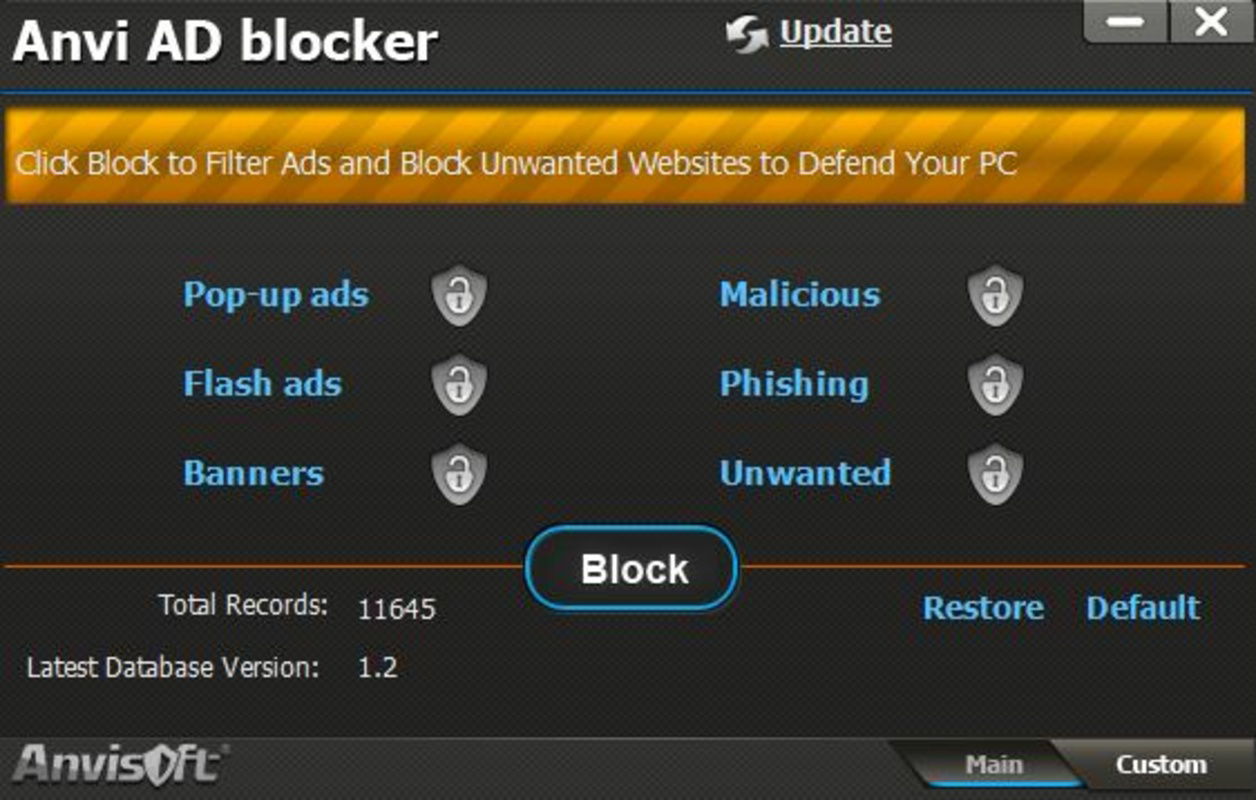
Anvi AD Blocker features a minimalist interface focused on functionality and ease of use. The layout prioritizes essential controls, such as on/off toggles and settings access, arranged in a logical, hierarchical structure. Navigation is straightforward, with clear labels and minimal steps required to activate or adjust ad-blocking preferences. This design approach supports a seamless user experience, particularly for individuals unfamiliar with advanced security tools.
The visual style remains consistent with standard utility apps—neutral colors, readable fonts, and uncluttered screens—ensuring that users can focus on the core task without distraction. Although the developer did not list formal performance metrics, the app is reported to operate efficiently in the background without significantly impacting device battery life or system resources. Responsiveness is maintained across various screen sizes and resolutions, indicating compatibility with a wide range of mobile devices.
Stability appears to be a key strength, supported by the app’s long release history and consistent updates. Users can expect reliable operation during extended browsing sessions. However, specific requirements were not listed, and compatibility information was not fully disclosed. The developer did not specify whether the app supports all Android versions or particular browser integrations.
Platform Compatibility & Technical Requirements
Anvi AD Blocker is available for Android devices. The latest version of the app is designed to run on Android operating systems, though the developer did not specify minimum OS requirements or exact compatibility details. The file size is reported as 2.3 MB, which indicates a lightweight footprint suitable for devices with limited storage capacity.
Although the developer did not list formal performance metrics or device-specific requirements, the app’s small size suggests it is optimized for efficient operation on a broad range of Android smartphones and tablets. Users should ensure their device meets general Android system standards to install and run the application. No additional permissions or hardware requirements were mentioned in the provided information.
Pros and Cons
Pros
- Efficiently blocks pop-ups, banners, and video ads across websites
- Enhances online security by filtering out potentially malicious ad content
- Works seamlessly with existing antivirus software without conflicts
- Simple, intuitive interface suitable for all user levels
- Regular updates ensure ongoing protection against new threats
Cons
- Specific OS version requirements were not disclosed
- Compatibility with certain browsers or platforms was not confirmed
- Developer did not provide detailed technical specifications
- Performance metrics and resource usage were not listed
- Limited information on update frequency or release notes
FAQ
Is Anvi AD Blocker safe to install on my Android device?
Yes, the app is designed to enhance security by blocking malicious ads. However, users should always download from official sources to ensure authenticity and avoid third-party modifications.
Can I use Anvi AD Blocker alongside my current antivirus software?
Yes, the app is specifically built to integrate with existing antivirus programs without causing conflicts or performance issues.
Does Anvi AD Blocker work on all websites?
It blocks most common ad types across supported websites, but effectiveness may vary depending on the site’s ad delivery system and the app’s update status.
How often are updates released?
The app receives regular updates to maintain compatibility and improve protection, though the exact update frequency was not specified.
Is Anvi AD Blocker free to download and use?
While the provided information does not state the pricing model, the app is widely recognized as a free utility tool for Android users.
Final Thoughts
Anvi AD Blocker delivers a focused, reliable solution for users seeking to eliminate online distractions and improve browsing security. Its ability to block intrusive ads while integrating smoothly with existing antivirus tools makes it a practical addition to any mobile security setup. The user-friendly interface ensures accessibility across skill levels, and its lightweight design minimizes impact on device performance.
Although some technical details remain undisclosed, the app’s long-standing presence and consistent functionality suggest a mature, dependable product. For individuals who value a cleaner, safer, and faster browsing experience on Android, Anvi AD Blocker offers clear benefits without complexity.
Download Anvi AD Blocker now
Guides & Tutorials for Anvi AD Blocker
How to install Anvi AD Blocker
- Click the Preview / Download button above.
- Once redirected, accept the terms and click Install.
- Wait for the Anvi AD Blocker download to finish on your device.
How to use Anvi AD Blocker
This software is primarily used for its core features described above. Open the app after installation to explore its capabilities.
User Reviews for Anvi AD Blocker 0
No reviews found


